MISSIVIO
01An AI-powered tool helping non-marketing-savvy business owners run email campaigns without needing a dedicated marketing team. Designed research-first, from zero to MVP.
Small business owners shouldn't need a marketing degree.
Every email platform on the market (Mailchimp, Klaviyo, Brevo, MailerLite) sells execution: templates, sends, automation. All of them assume you already arrive knowing the strategy. Solo owners don't. They have a business and no idea what to send, when, or why.
So I bet against the category: these users don't need another tool to operate, they need one that decides for them. Missivio starts there: the AI handles the strategy, you approve and send.
Research pointed to one bet: the AI should speak first.
Talking to solo owners, the problem wasn't a skills gap: it was a blank-page gap. They froze at the start, not the send button. Existing tools (Mailchimp, Klaviyo, Brevo) all assume you arrive with a strategy; my users arrived with a business and no idea what to send. That reframed the core decision: instead of building a better editor, Missivio leads. The AI proposes a campaign, and the user reacts to something concrete instead of a void.
Two mindsets shaped everything after:
- The delegation thinker wants it handled: minimal input, trust the output, move on.
- The confidence-seeker wants to understand before trusting: show the reasoning, let them adjust.
Designing for both meant one product that could run fully automated or fully transparent, depending on who's driving.
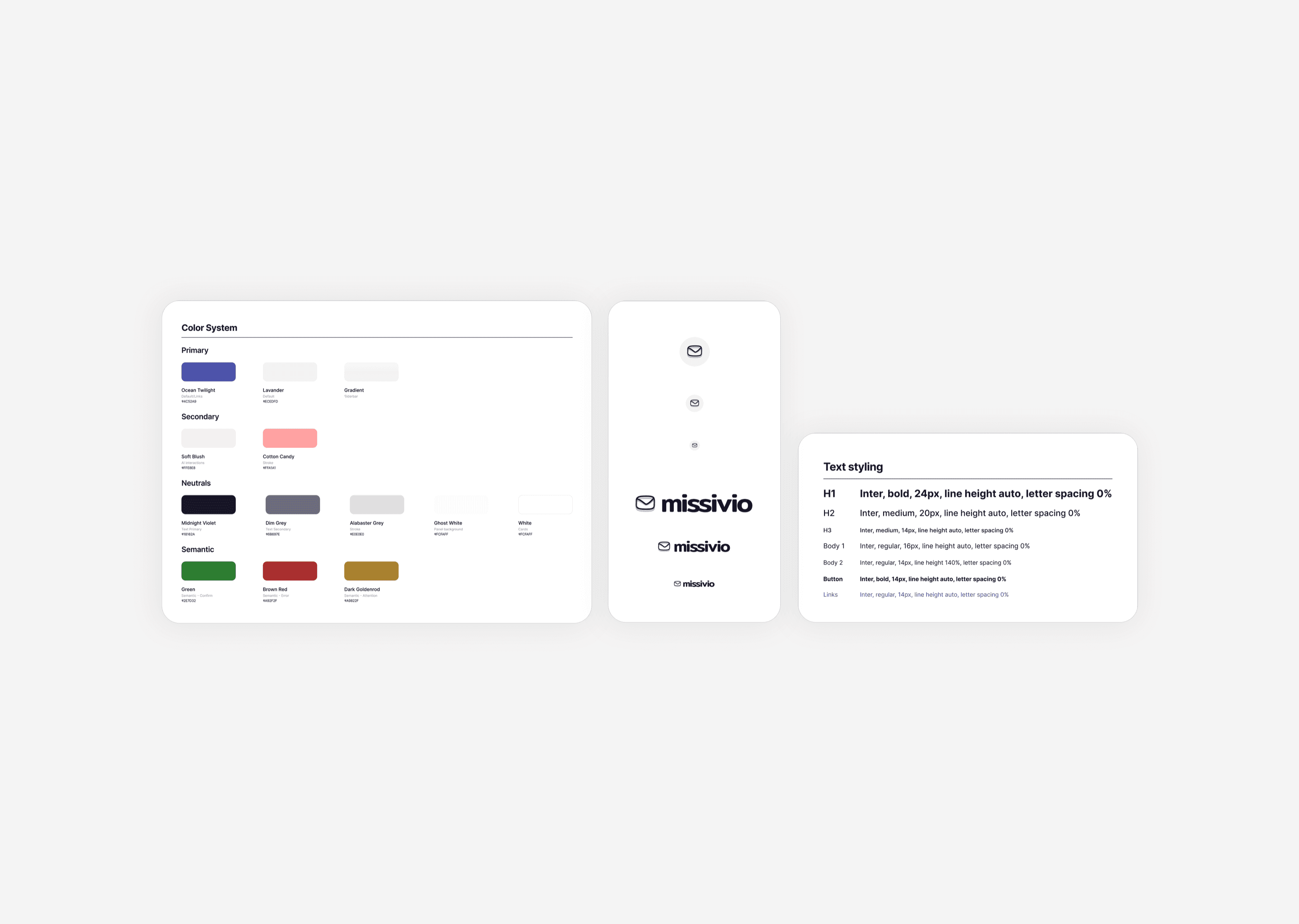
Muted violet palette is distinct from blue/teal competitors, designed to reduce anxiety around marketing decisions.
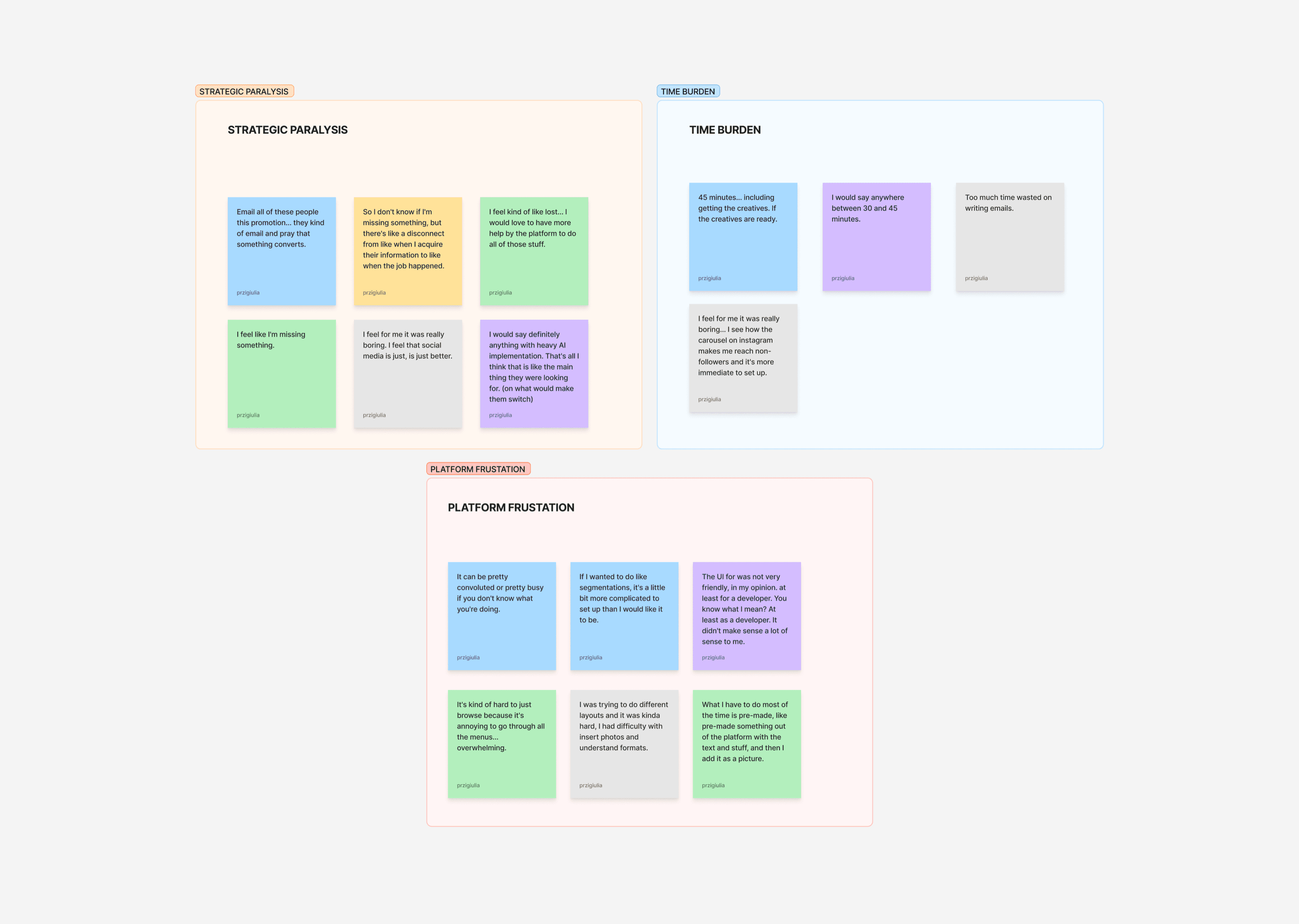
Research reframed the problem from a skills gap to a blank-page gap.
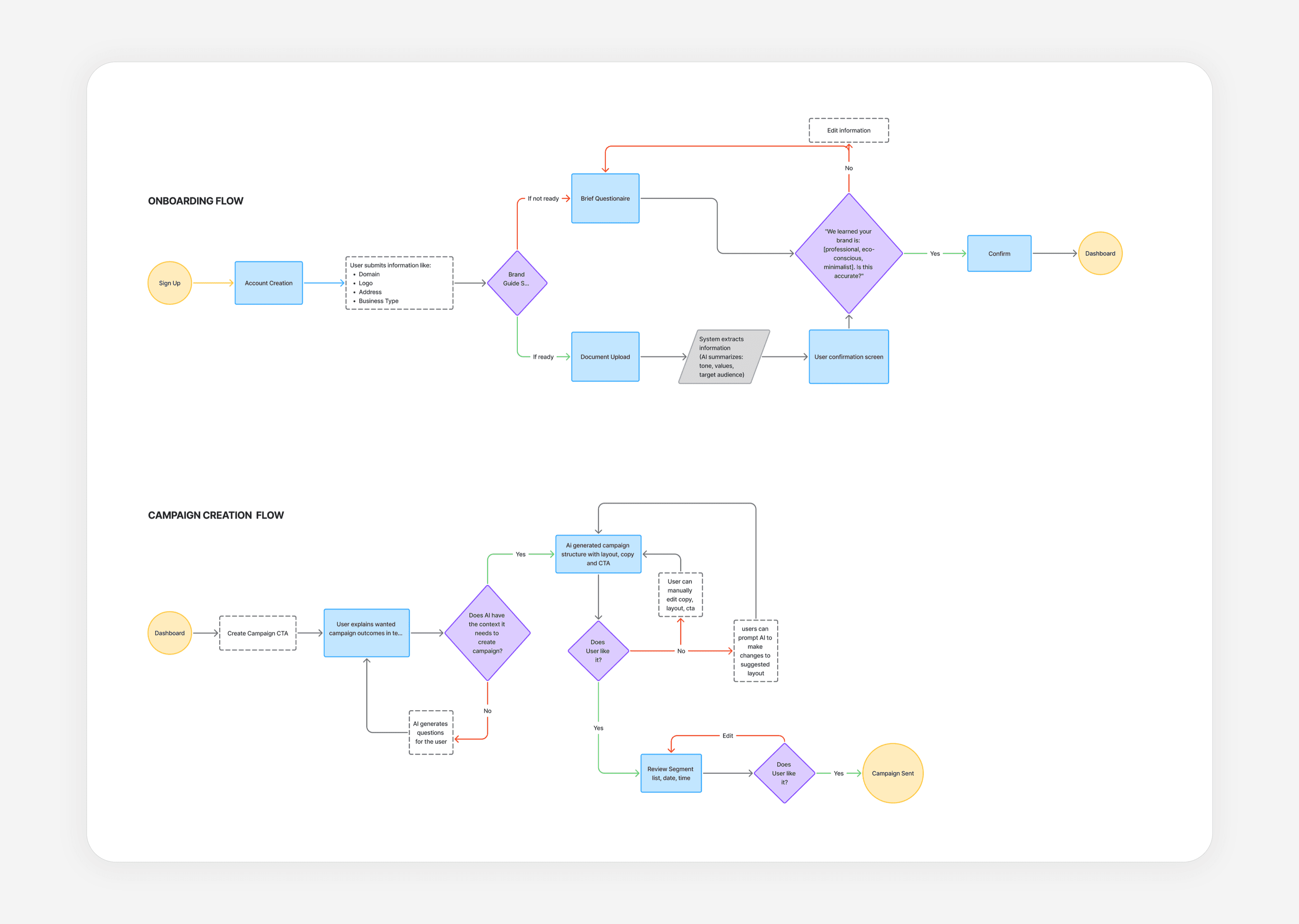
User flows for Onboarding and Campaign Creation.
Research reframed the problem from a skills gap to a blank-page gap.
User flows for Onboarding and Campaign Creation.
I scoped hard, on purpose.
A first version that tries to do everything teaches users nothing. I cut Missivio to one disciplined MVP and built the information architecture around outcomes, not features: triggered emails split cleanly from one-time campaigns, and the dashboard reframed as a conversational entry point rather than a control panel. Everything that didn't serve the core bet got deferred. The goal wasn't to ship less: it was to make one idea legible.
Three rules I designed against.
Before any screen, I set three non-negotiables. The AI proposes but never acts without approval. Every interaction lowers anxiety instead of adding it. Complexity unfolds progressively, never all at once. These weren't style choices: they were the trust contract the entire product is built on, and every later decision had to answer to them.
A system, not a set of screens.
I built it from scratch because the interfaces an AI product needs don't exist in any template: screens where the software has to explain its own reasoning: panels that show why the AI proposed something, confirmation states that make "approve" a deliberate act, and input states that keep the user oriented while the AI works. The foundations are conventional: an Iris-violet palette on token-based color logic, an Inter type scale, spacing rules.
Building on tokens was a deliberate handoff call: the two engineers could implement straight to the system without re-litigating decisions I'd already made, which is what lets a one-designer product still ship consistently.
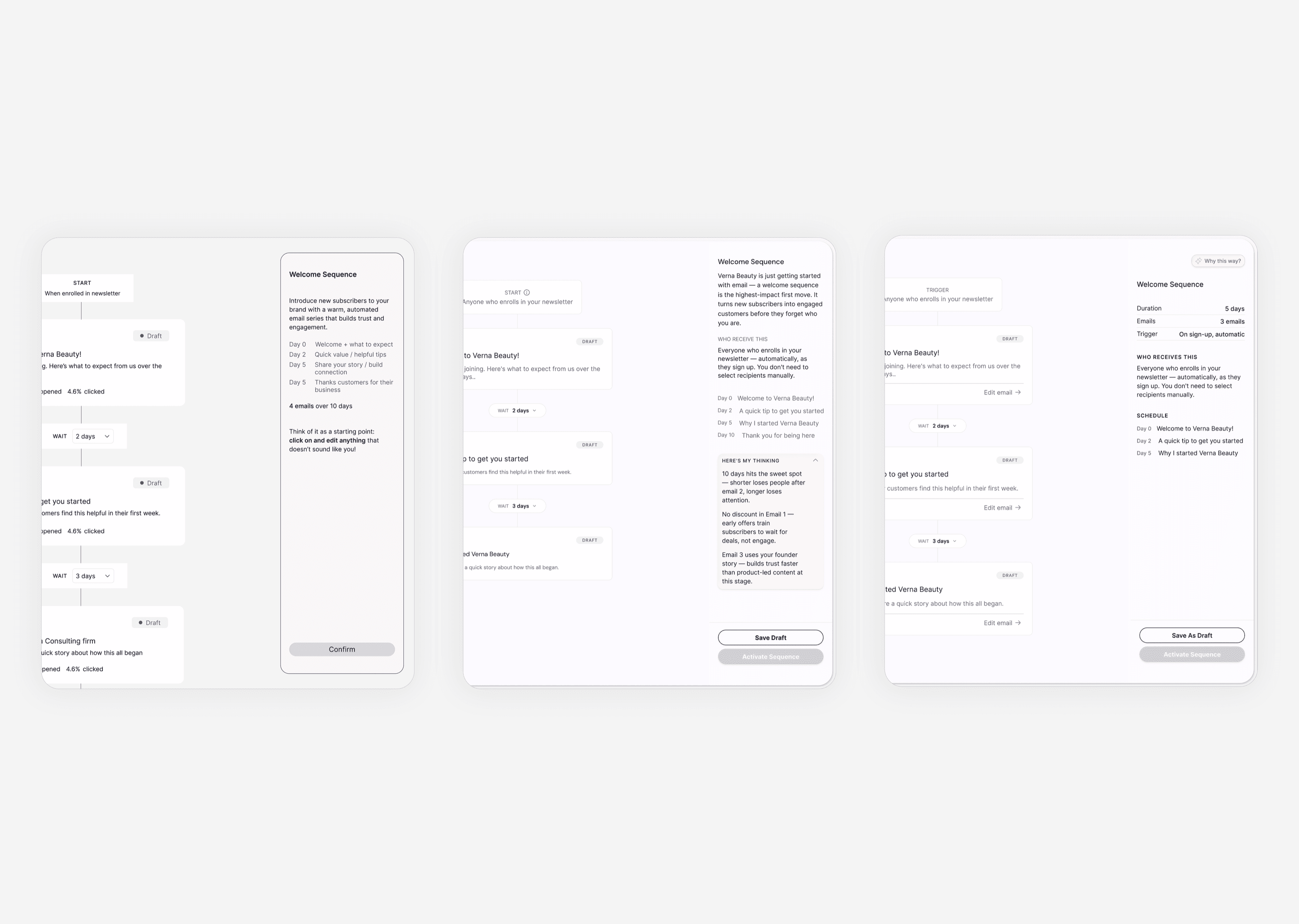
The rationale panel, across three rounds: from dismissive, to overcrowded, to legible.
Testing changed three decisions
Two rounds of moderated testing showed me where trust broke, and I made three structural calls in response:
- Onboarding became a dialogue instead of a form: the product asks and listens rather than collecting fields.
- The AI's rationale panel went from a dense wall of text to scannable, layered steps, so users could follow the reasoning without drowning in it.
- Activation became a deliberate confirmation, not something that happened by accident.
My measure of success wasn't task completion. It was whether a user could explain, unprompted, why they'd just done something, because a tool you trust is one you understand.
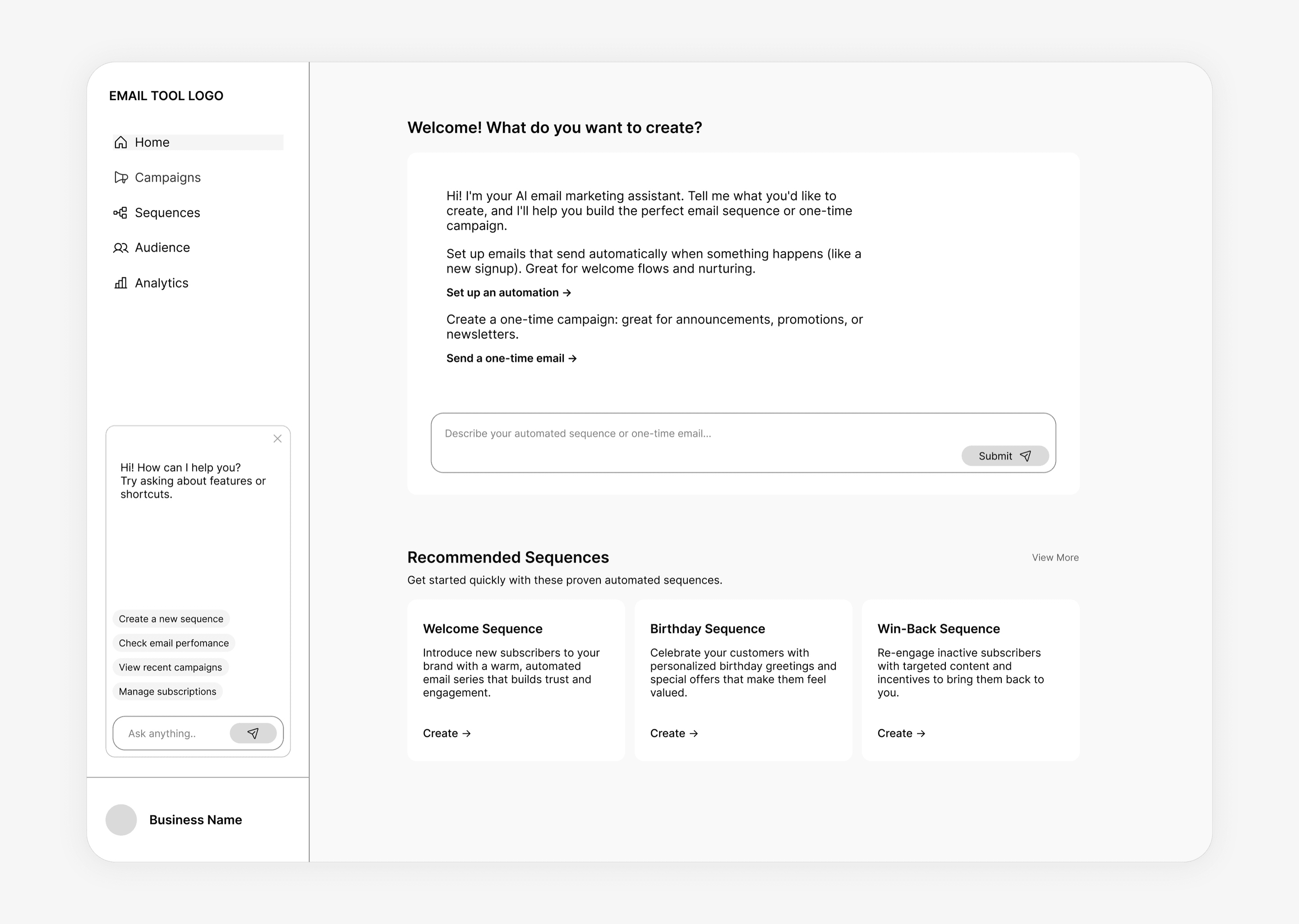
Initial concept of onboarding flow, mid-fidelity.
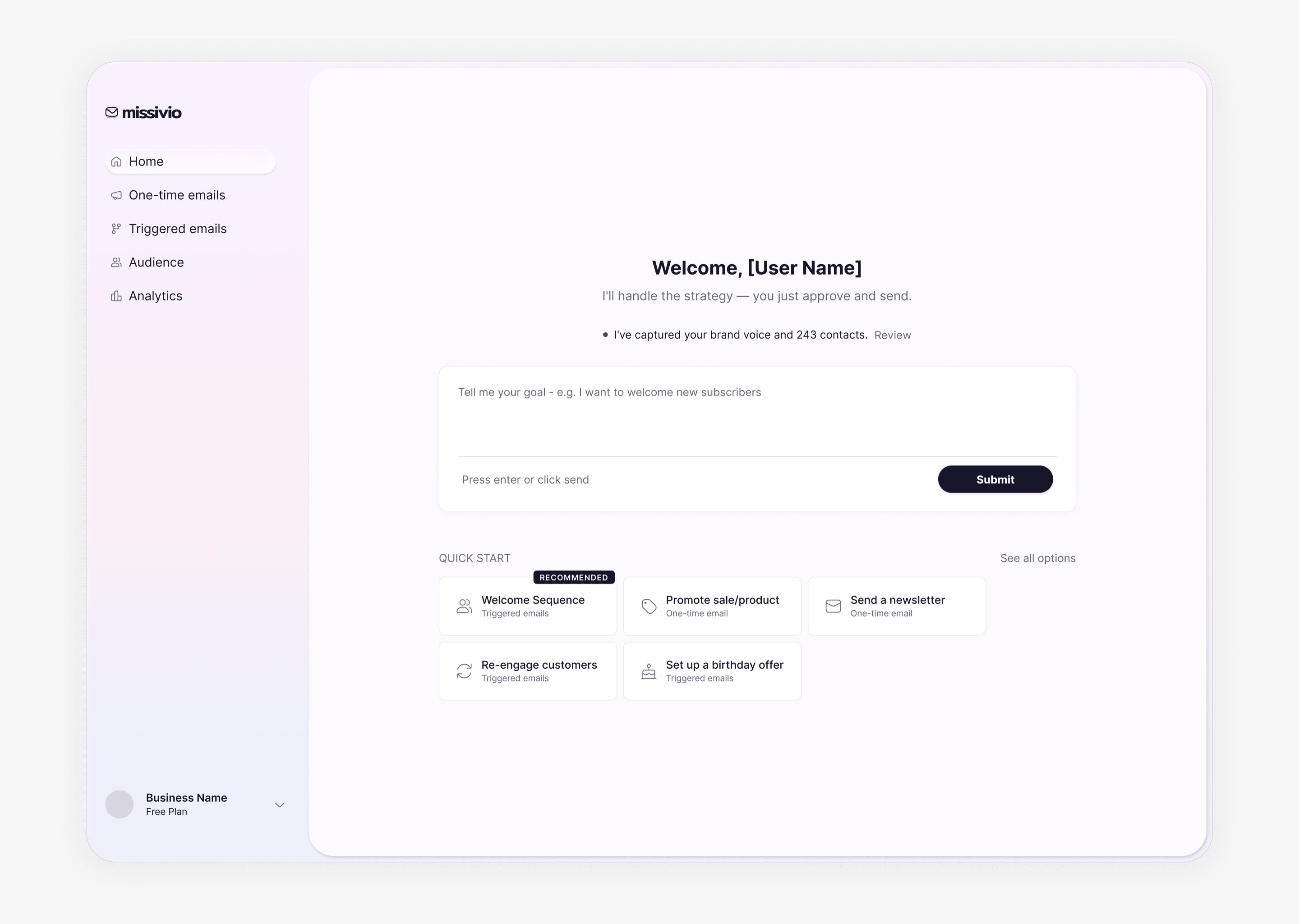
Final dashboard design focuses on User/AI interaction
Initial concept of onboarding flow, mid-fidelity.
Final dashboard design focuses on User/AI interaction
What I'd carry forward.
The biggest lesson: in an AI product, the interface isn't the feature. Trust is. My hardest decisions weren't about layout; they were about how much to show, when to ask, and how to make the software's reasoning legible enough that someone would hand it the keys.
How I'll know it worked.
Missivio is in development with two engineers, heading toward a Q4 2026 beta, and I defined the bar it has to clear.
The KPIs are commercial, not interface-level:
- Activation. The share of beta users who go from signup to first email sent: whether interest converts to action.
- AI strategy adoption. How often the AI's recommendations are accepted versus overridden: whether the differentiator is doing real work or being treated as decoration.
- Repeat usage. The share of users sending a second sequence within 30 days: whether the product earns a habit, not just a trial.
- Willingness to pay, converted. Research surfaced clear intent to pay; the beta tests whether stated intent becomes real revenue.
Email marketing is one of the highest-ROI channels in small business, and the people who need it most are the ones every existing tool has failed. Missivio is built to close that gap.